28. Sphinx
28.2. Wiki语法
28.2.1. gui
Cancel
2019-12-03
LIFO. (鼠标移上去,出现提示文字)
:guilabel:`&Cancel`
:menuselection:`Start --> Programs`
|today|
:abbr:`LIFO (last-in, first-out)`.

today_fmt = '%Y-%m-%d' #'%B %d, %Y'
28.2.2. code
所有支持的语言:http://pygments.org/languages/
.. code-block:: ActionScript
   :emphasize-lines: 3,4
   :linenos:
28.2.3. note
参见
This is a simple seealso note.
注解
This is a simple note note.
待处理
This is a simple todo note. need add this in conf.py: todo_include_todos=True
警告
This is a simple warning note. .. include:: ./todo-tutorial.md
文字随便写
Extensions local to a project should be put within the project’s directory structure. Set Python’s module search path, sys.path, accordingly so that Sphinx can find them. E.g., if your extension foo.py lies in the exts subdirectory of the project root, put into conf.py:
import sys, os
sys.path.append(os.path.abspath('exts'))
extensions = ['foo']
You can also install extensions anywhere else on sys.path, e.g. in the site-packages directory.
.. seealso:: This is a simple **seealso** note.
.. note:: This is a simple **note** note.
.. todo:: This is a simple **todo** note. need add this in conf.py: todo_include_todos=True
.. warning:: This is a simple **warning** note. .. include:: ./todo-tutorial.md

.. admonition:: 文字随便写

   Extensions local to a project should be put within the project’s directory structure.
   Set Python’s module search path, sys.path, accordingly so that Sphinx can find them.
   E.g., if your extension foo.py lies in the exts subdirectory of the project root,
   put into conf.py::

      import sys, os
      sys.path.append(os.path.abspath('exts'))
      extensions = ['foo']

   You can also install extensions anywhere else on sys.path, e.g. in the site-packages directory.
28.2.4. color
Red word.. raw:: html
<font color="red">Red word</font>
28.2.5. includefile
.. literalinclude:: ../_static/forms-ex600/app/app.component.ts
   :linenos:
   :language: typescript
   :lines: 1, 2-39

.. code-block:: typescript
   :linenos:

   this.form.controls['make'].valueChanges.subscribe(
      (value) => { console.log(value); }
   );
   this.form.controls['make'].statusChanges.subscribe(
      (value) => { console.log(value); }
   );

.. include:: ./Application.md
28.2.6. image
.. image:: images/Figure19-7.png
   :width: 400px
   :align: center
   :height: 200px
   :alt: alternate text
28.2.7. table
The following table lists some useful lexers (in no particular order).
| Treat | Quantity | Description |
|---|---|---|
| Albatross | 2.99 | On a stick! |
| Crunchy Frog | 1.49 | If we took the bones out, it wouldn’t be crunchy, now would it? |
| Gannet Ripple | 1.99 | On a stick! |
| Treat | Quantity | Description |
|---|---|---|
| Albatross | 2.99 | On a stick! |
| Crunchy Frog | 1.49 | If we took the bones out, it wouldn’t be
crunchy, now would it?
|
| Gannet Ripple | 1.99 | On a stick! |
.. csv-table:: Frozen Delights!
   :header: "Treat", "Quantity", "Description"
   :widths: 15, 10, 30

   "Albatross", 2.99, "On a stick!"
   "Crunchy Frog", 1.49, "If we took the bones out, it wouldn't be
   crunchy, now would it?"
   "Gannet Ripple", 1.99, "On a stick!"

.. list-table:: Frozen Delights!
   :widths: 15 10 30
   :header-rows: 1

   * - Treat
     - Quantity
     - Description
   * - Albatross
     - 2.99
     - On a stick!
   * - Crunchy Frog
     - 1.49
     - If we took the bones out, it wouldn't be
      crunchy, now would it?
   * - Gannet Ripple
     - 1.99
     - On a stick!
28.2.8. 隐藏source
html_show_sourcelink = False
28.2.9. link
`link <Python home page_>`_
28.2.10. Custom CSS
custom stylesheet is _static/css/custom.css:
## conf.py

# These folders are copied to the documentation's HTML output
html_static_path = ['_static']

# These paths are either relative to html_static_path
# or fully qualified paths (eg. https://...)
html_css_files = [
   'css/custom.css',
]
28.2.11. chapters
# 及上划线表示部分
* 及上划线表示章节
=, 小章节
-, 子章节
^, 子章节的子章节
", 段落
28.2.12. highlight
The literal blocks are now highlighted as HTML, until a new directive is found.
<html><head></head>
<body>This is a text.</body>
</html>
The following directive changes the hightlight language to SQL.
SELECT * FROM mytable
From here on no highlighting will be done.
SELECT * FROM mytable
28.2.14. Error
当执行make html命令时出现类似下面的错误信息时,是由于根目录的权限不够导致的,需要执行chmod 777 放开目录权限:
reading sources... [100%] pages/netflix
looking for now-outdated files... none found
pickling environment... done
checking consistency... done
preparing documents... WARNING: search index couldn't be loaded, but not all documents will be built: the index will be incomplete.
done
writing output... [100%] pages/netflix
generating indices... genindex
writing additional pages... search
28.3. 部署到github
- 在github上创建仓库,根目录下新建文件夹
docs。 - 拷贝wiki到
docs目录下。 - 提交代码。
- 使用github账号登陆 Read the Docs 网站。
- 选择导入的github上创建的仓库。
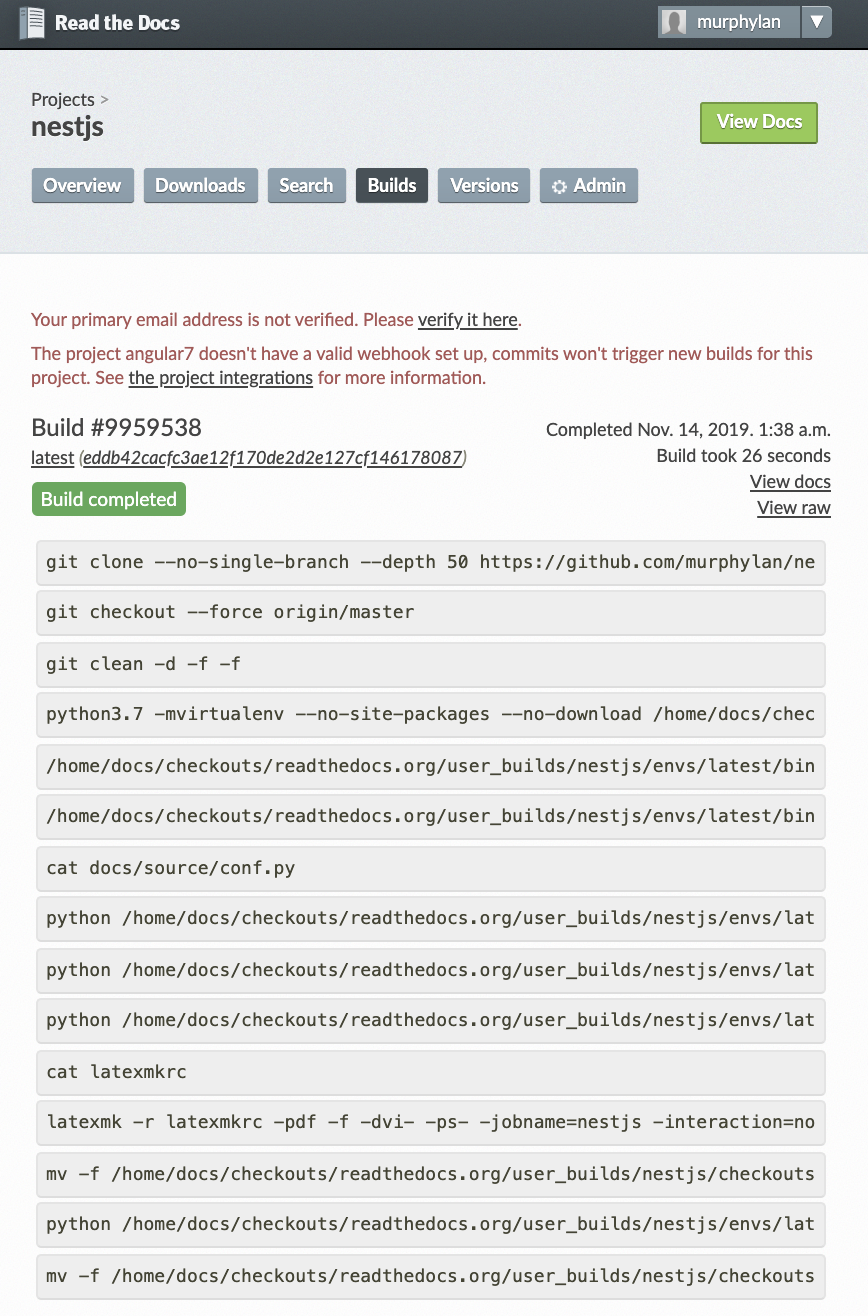
- 按照步骤一步步操作,最终build结果如下: